Your First Stream
Slipmat is a live streaming site made for music. You stream from your own streaming software, for example OBS, and your listeners hear you on Slipmat.
First things to learn
Section titled “First things to learn”The live page
Section titled “The live page”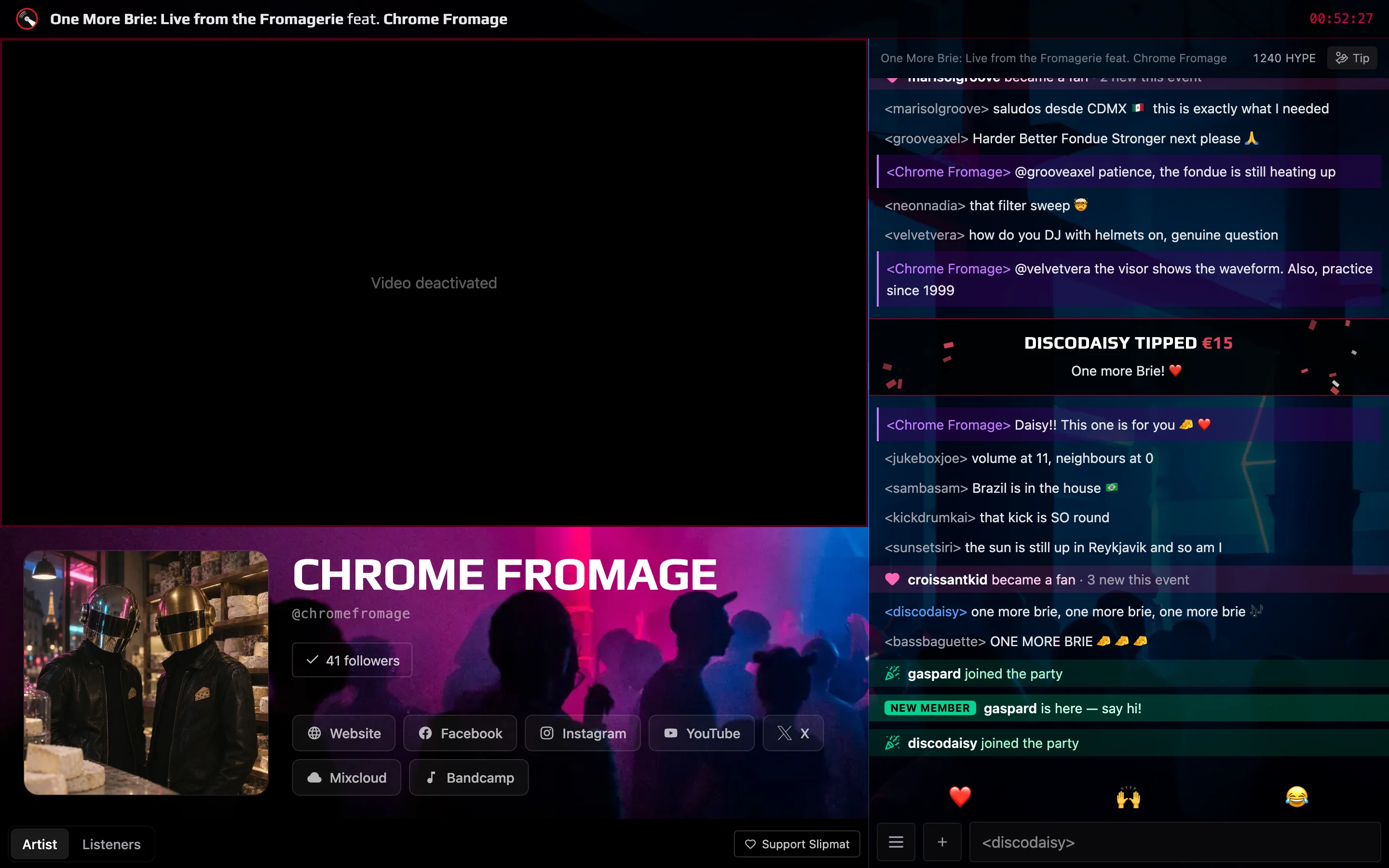
The live page is where your listeners are. It plays your stream, and listeners chat and send reactions. Anyone with the link can listen.
Your artist Dashboard
Section titled “Your artist Dashboard”Your artist Dashboard is your home on Slipmat. It shows your events and your stats, and your artist menu has all your tools.
The Stream Dashboard
Section titled “The Stream Dashboard”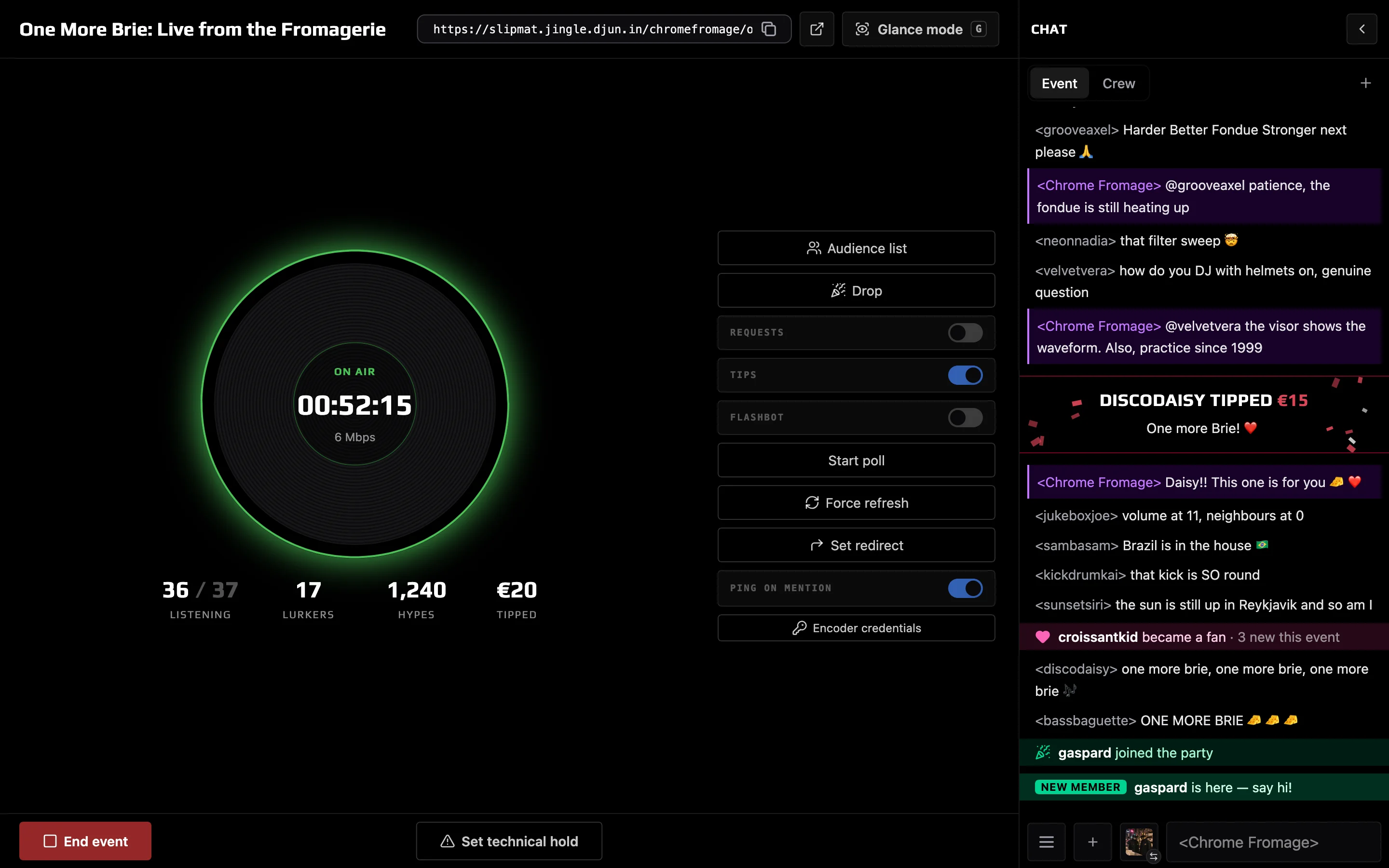
The Stream Dashboard is the screen you run a live event from. It shows the health of your stream, your listeners and the chat. You start and end your event here.
Backstage
Section titled “Backstage”Backstage is our discussion forum. You can find all kinds of community resources, discussions, questions, and answers there. Backstage runs on a separate server; just log in with your Slipmat account and you’re in.
Your first stream
Section titled “Your first stream”- Connect your streaming software.
- Test your stream with a soundcheck.
- Manage the stream from the Stream Dashboard.
After the first soundcheck
Section titled “After the first soundcheck”Now you’re ready to live stream on Slipmat! Choose your flavor:
Ad hoc events – simplest possible workflow
Section titled “Ad hoc events – simplest possible workflow”If you don’t care for marketing or promotion, or you just want to stream with zero setup, all you need to do is to start your stream from OBS and you’re live literally in a minute. Nothing more to prepare or set up.
Ad hoc events are simple and fast, but you’re using only the very tip of the Slipmat iceberg.
Scheduled events – full control
Section titled “Scheduled events – full control”Scheduled events are what most of our artists are here for. You schedule a time and a date, pick a photo and a name, and configure any other cornucopia of features we offer for customizing your and your listeners’ experience for your event. Then you can promote it in advance to your audience.
You can also register a time slot for a recurring Show, which then automatically schedules all future events for you, with or without any customizations – whatever you like.
Request events – Slipmat tools for your non-livestream gigs
Section titled “Request events – Slipmat tools for your non-livestream gigs”We’re the first to admit that naming things isn’t our strongest talent. Request events are named after our legendary Song Request System, but you can use our other tools for them as well.