Artist Profile
Your artist profile is your home on Slipmat. You perform as your artist, and fans follow it.
Show yourself on the profile
Section titled “Show yourself on the profile”Each member decides if the artist profile shows them publicly. You can change this for yourself at any time. You do not need approval from an owner.
Photos
Section titled “Photos”Change your photos on the Update Photo page. Click a photo to upload a new one.
If you moved from the old Slipmat, upload new photos. Some old photos are many years old, and good photos make your events look their best.
Artist photo
Section titled “Artist photo”Your artist photo is square.
Default event photo
Section titled “Default event photo”Slipmat uses this photo when an event has no photo of its own. Its size is 1200 × 630 pixels.
Share image
Section titled “Share image”The share image is the picture that shows when someone shares a link to your artist profile or your sli.pm page. Slipmat makes it from your artist photo and name, and makes a new one when you change either.
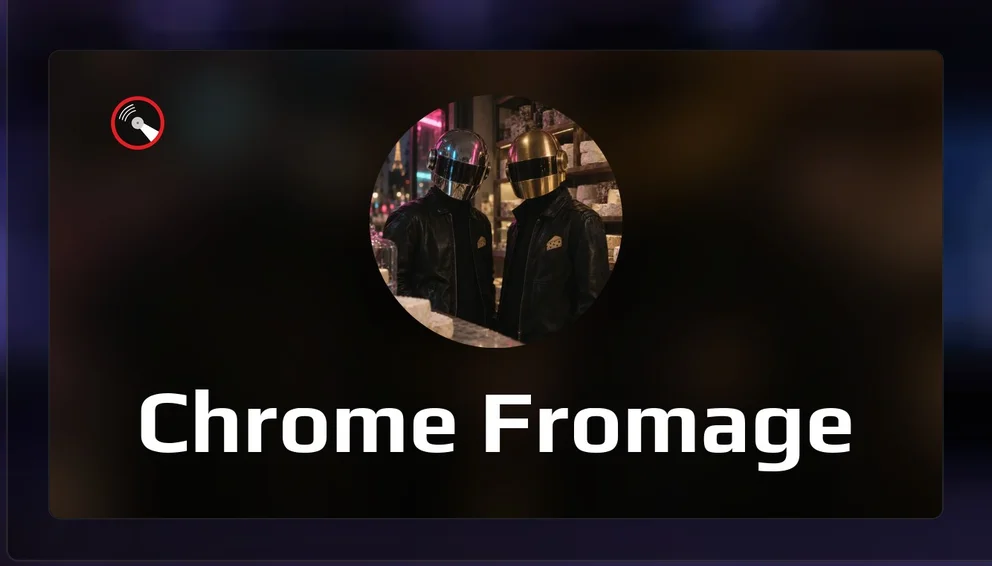
You can upload your own share image. Slipmat keeps a 1200 × 630 JPEG or PNG of up to 2 MB exactly as it is. It crops and compresses all other images. Click Reset to use the image that Slipmat makes again.