Shows
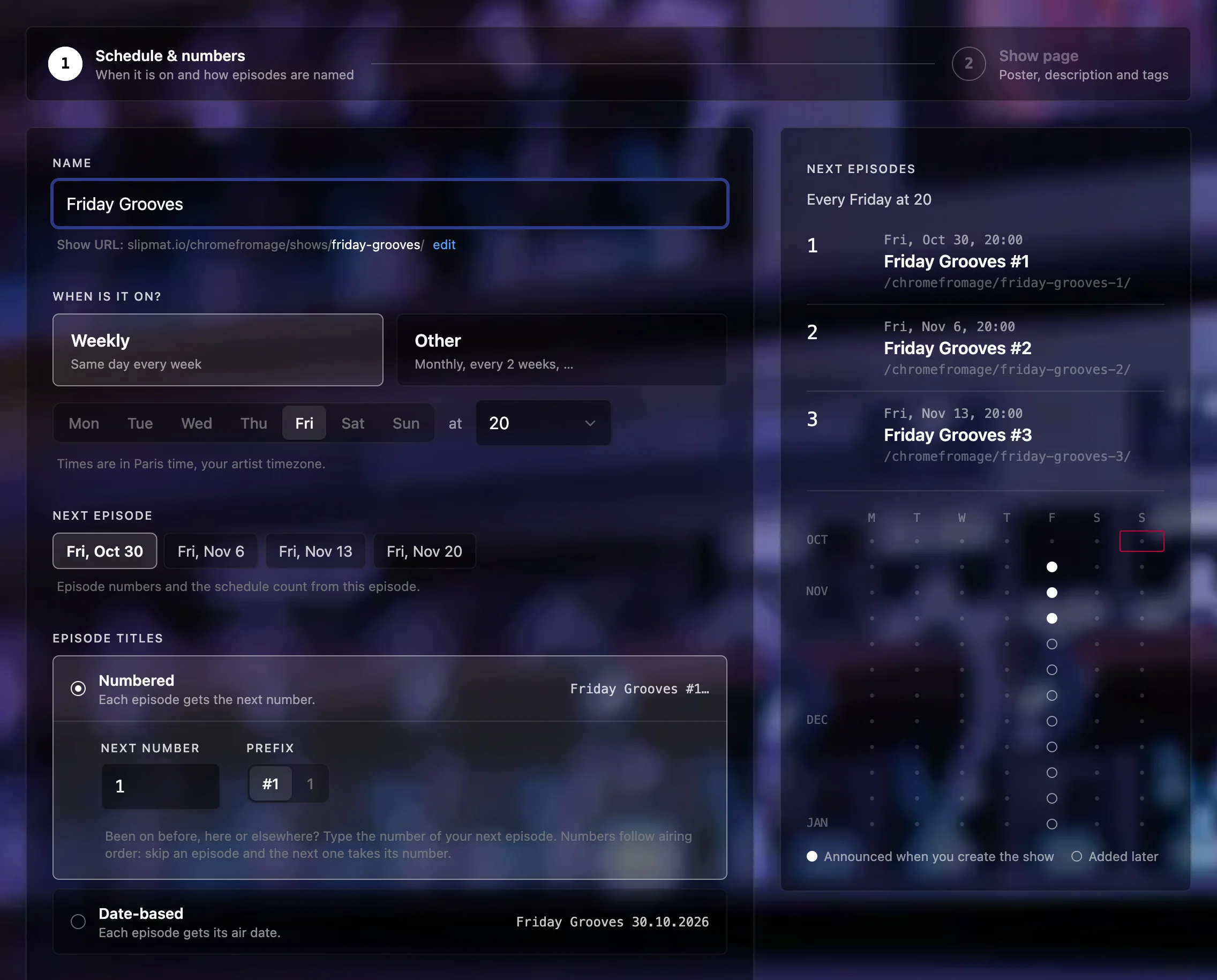
A Show is your own regular program, like a weekly radio show. Instead of scheduling each event yourself, set the time slot once, and Slipmat schedules and announces every episode automatically. Create one on the Shows page.
How a Show works
Section titled “How a Show works”- Your next three episodes are always scheduled. Slipmat adds each new episode automatically.
- Each new episode sends a message only to the Show’s followers, not to your fans. To get these messages, a listener must follow the Show on its public page, so ask your fans to follow it.
When you cannot make it
Section titled “When you cannot make it”- The episode does not happen: click Skip. Everyone who RSVPed and the Show’s followers get a message automatically, with your reason if you add one. Cancel event on the episode’s page does the same.
- The episode happens at another time: click Move. Everyone who RSVPed keeps their RSVP, but they do not get a message, so let them know yourself.
- You take a break of several weeks: set Next episode on the Settings tab to the day you are back. Your announced episodes move to the dates after the break and keep their RSVPs. Your listeners do not get a message about the new dates.
More details
Section titled “More details”- Who can listen: Members only means your fans and crew.
- You can add text after the title of an episode, for example Friday Grooves #12 feat. Guest. It stays when the number changes.
- To make an existing event an episode, click Add to a show on the page of the event.